
QR Code Sign-In Process for School Visitors
Last Updated: September 18, 2026
Edmonton Catholic Schools has introduced a digital visitor sign-in system at schools across the Division. This streamlined process uses a QR code to help schools maintain accurate visitor records and enhance school safety.
If you're visiting an ECSD school, you'll now sign in using your mobile device instead of a paper visitor log. The process is quick, easy, and consistent at every school location.
Why the Change?
The new QR code sign-in process helps schools:
- Maintain accurate visitor records
- Support emergency response procedures when needed
- Improve efficiency at school offices
- Replace paper-based sign-in sheets with a more secure digital system
How the Visitor Sign-In Process Works
Step 1: Ring the Buzzer
When you arrive at the school, ring the buzzer to request entry. Once admitted, proceed directly to the main office.
Step 2: Scan the QR Code
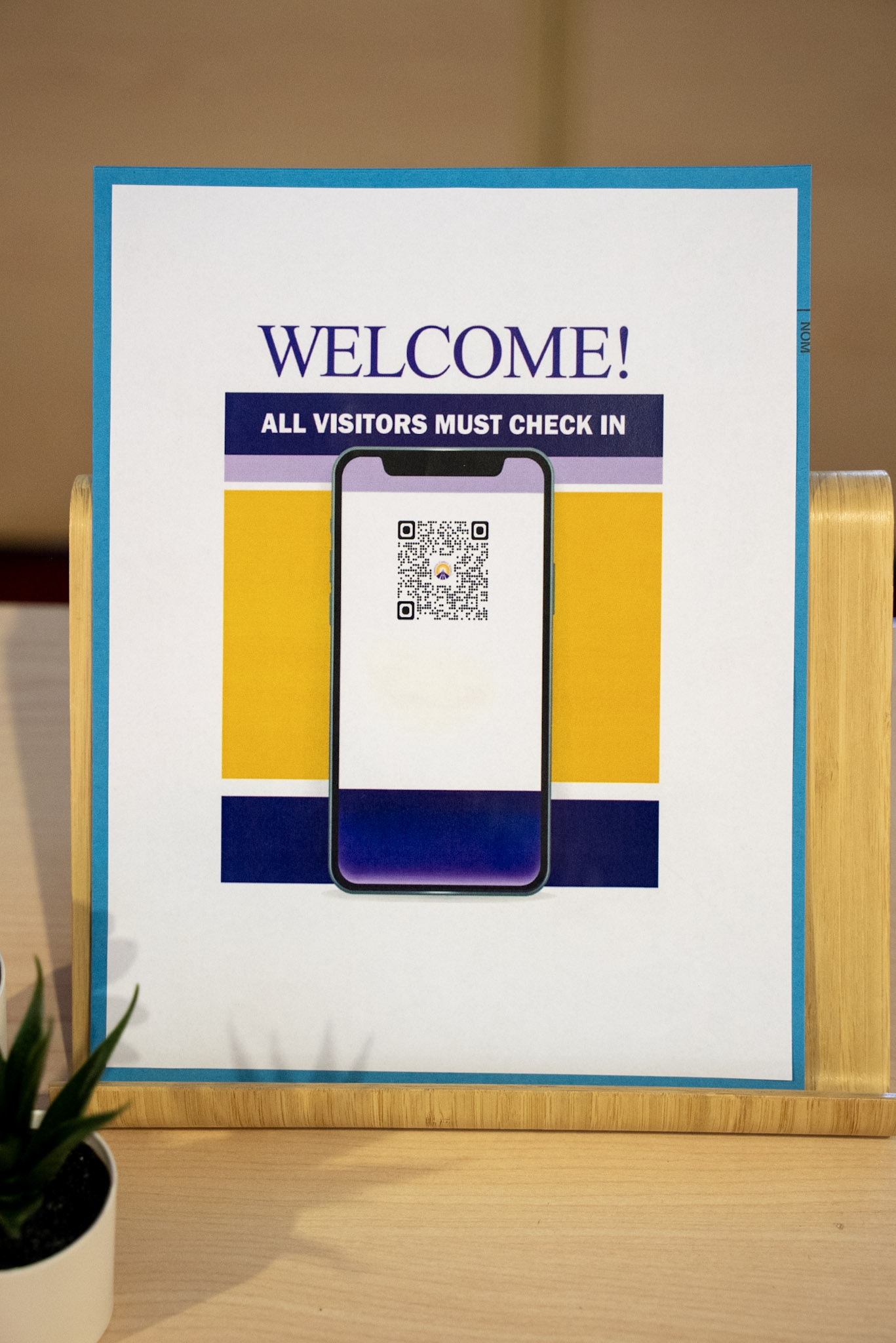
Office staff will direct you to a QR code displayed near the front office. Use your smartphone camera to scan the code and open the visitor sign-in form.
The QR code may look slightly different from school to school.
Step 3: Complete the Sign-In Form
You'll be asked to provide:
- First and last name
- Phone number
- Reason for your visit
You can also choose to provide your licence plate number in case the school needs to contact you about a parking issue.
Before You Leave
Please remember to sign out using the QR code when your visit is complete. Signing out helps ensure visitor records remain accurate and up to date.
This new digital visitor registration process helps Edmonton Catholic Schools maintain safe, welcoming learning environments for students, staff, and visitors. Thank you for helping us keep our schools secure.
Frequently Asked Questions
What if I don't have a mobile device or can't scan the QR code when I'm visiting?
In the event you’re unable to scan the QR code, please ring the buzzer, and school staff will help guide you to the front desk for an alternate sign-in process.
How will I know that I have successfully signed in?
After submitting the form, you will hit “submit” and should receive a confirmation message indicating you’ve signed-in at that location.
How do I sign out?
To sign out, scan the QR code and enter the same phone number used during sign-in.
What if I forget to sign out?
It’s important to sign out as the visitor log supports emergency response (lockdowns, fires, medical emergencies). If you forget, please contact the school as soon as you can.
Why are you making this change?
The digital visitor sign-in process provides a secure and consistent way to manage visitors while helping schools maintain accurate visitor records. It also eliminates the need for schools to manage paper sign-in kiosks.
What information will I be asked to provide?
Visitors will be asked to provide their first and last name, phone number, and reason for visiting. Visitors may also choose to provide a licence plate number.
Why do you need my phone number?
Your phone number helps us maintain accurate visitor records and contact you if an emergency occurs while you are visiting the school. It is also used to confirm sign-in and sign-out activity.
Who has access to my personal information?
Each QR code is unique to that school or division site. Only administrators at that site will have access to that information.
How long will my personal information be stored?
Paper-based and digital visitor logs will be cleared annually.